
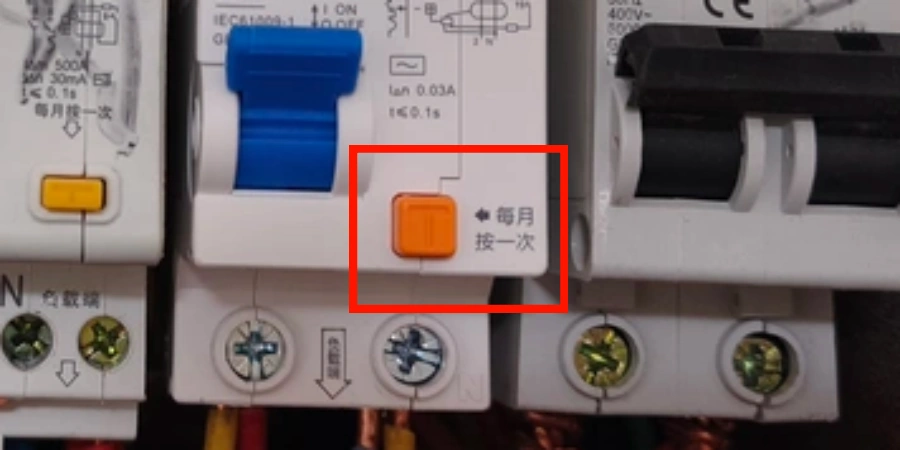
If you’ve ever looked at an RCD on a switchboard and noticed the small button labelled “TEST” or just “T,” you might have wondered what it really does. Many people see the button and pause, unsure if pressing it actually matters.
In our day-to-day work supplying these devices, we often notice that people instinctively press the button first to see if everything is working — it’s the simplest way to check that the circuit responds.
Learning about this little button isn’t just curiosity. It’s about feeling confident that your system will behave as expected — whether you’re an electrician, a building manager, or just checking your home circuits.
What the Test Button Does and How It Works?
The test button’s job is to simulate a fault. When you press it, you’re not creating a real electrical problem — you’re triggering a controlled imitation of one. A small resistor inside the device briefly diverts a tiny amount of current (typically between 15 and 30mA) away from the normal circuit path and towards ground. This creates an artificial imbalance, which the RCD’s internal sensor should detect and respond to by tripping — cutting the power to the protected circuit.
What’s Happening Inside the Device?
The mechanism is fairly elegant in its simplicity. Inside the RCD, a toroidal transformer monitors the current balance between the live and neutral wires. When the test button diverts that small current, it unbalances the transformer’s output. This sends a signal to an electromagnet, which physically opens the contacts and disconnects the circuit.
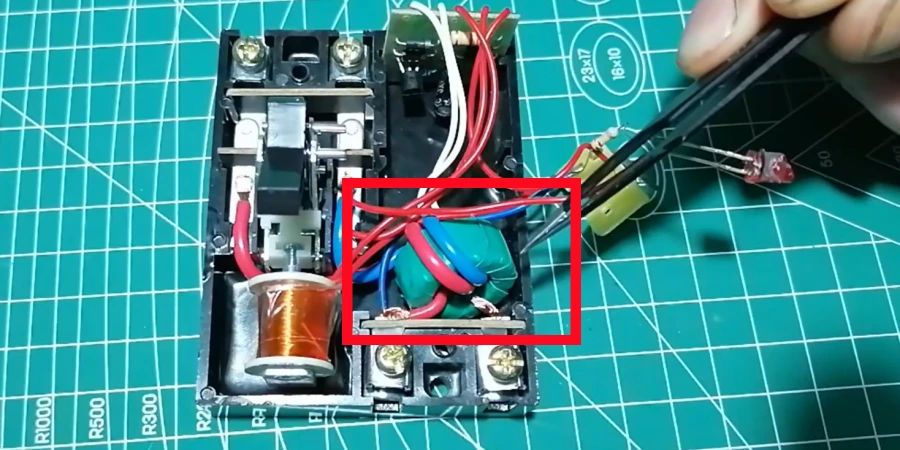
If the device is working correctly, this all happens within milliseconds. The physical click you hear when it trips is the contacts opening. A successful trip tells you that the sensing coil, the electromagnet, and the mechanical contact system are all responding as they should.
What a Successful Trip Confirms?
It’s important to be precise. A push-button test confirms:
| What It Confirms | What It Does NOT Confirm |
|---|---|
| The trip mechanism responds to a simulated fault | Exact trip time under real fault conditions |
| The electromagnet and contacts are working | Performance under full load |
| The device hasn’t seized or locked up | Response to DC fault currents |
| Basic electrical continuity of the test circuit | Whether the trip threshold is within spec |
Why This Matters From a Manufacturing Standpoint?
On the production side, the test button mechanism gets a lot of attention during quality control. It’s not just functional — it’s the main way end users verify that the device is working. If that button fails or produces unreliable results, the whole safety promise of the product falls apart. That’s why even a seemingly minor issue with the test button — like a sluggish response or no response at all — are treated seriously, both in production and the field.
How to Test Your RCD?
Testing an RCD doesn’t require any special tools, and it takes less than a minute. That said, it’s easy to do it incorrectly — or to skip steps that matter. I’ve seen this happen in workplaces where the test becomes a routine tick-box exercise rather than a genuine check. Here’s how to do it properly.
Before You Press Anything
Start by locating your RCD. In most homes and workplaces, it sits inside the main switchboard or consumer unit. It’s usually clearly labelled and has that test button on the front face. If you have multiple RCDs protecting different circuits, you’ll want to test each one individually.
Before pressing the test button, switch off or unplug any sensitive equipment connected to the circuits protected by that RCD. Computers, servers, and some appliances don’t react well to a sudden loss of power. You don’t need to disconnect everything — but it’s good practice to be aware of what will lose power when the device trips.
Running the Test
Once you’re ready, follow these steps:
| Step | Action | Expected Result |
|---|---|---|
| 1 | Locate the RCD in your switchboard | Find the device labelled RCD or RCCB |
| 2 | Switch off sensitive loads on protected circuits | Prevents damage from sudden power loss |
| 3 | Press the TEST or "T" button firmly | RCD should trip immediately |
| 4 | Check that power is cut to the protected circuits | Lights or outlets on that circuit go off |
| 5 | Press the RESET button to restore power | RCD re-engages; power returns |
The trip should happen the moment you press the button — not after a delay or requiring a second press. If it trips instantly, that’s the result you want.
Interpreting What You See
Once you’ve run the test, the result falls into one of three categories:
-
Trips immediately — the RCD is responding correctly. Reset it and carry on.
-
Doesn’t trip at all — this is a serious problem. The device is not functioning as it should. Do not rely on it for protection and call a qualified electrician.
-
Trips, but slowly — a slow or sluggish trip is not the same as a pass. It suggests a mechanical issue that a push-button test alone can’t fully diagnose. You’ll need a professional to run a timed ramp test.
Resetting After a Successful Trip
After a successful test, resetting is straightforward — press the reset button (sometimes labelled "I" or simply "RESET") until it clicks back into place. If the RCD won’t reset, something may be preventing it from latching. This can happen if a fault is still present on the circuit, or if the device itself has a mechanical issue. Either way, don’t force it. Get an electrician to check the circuit before trying again.
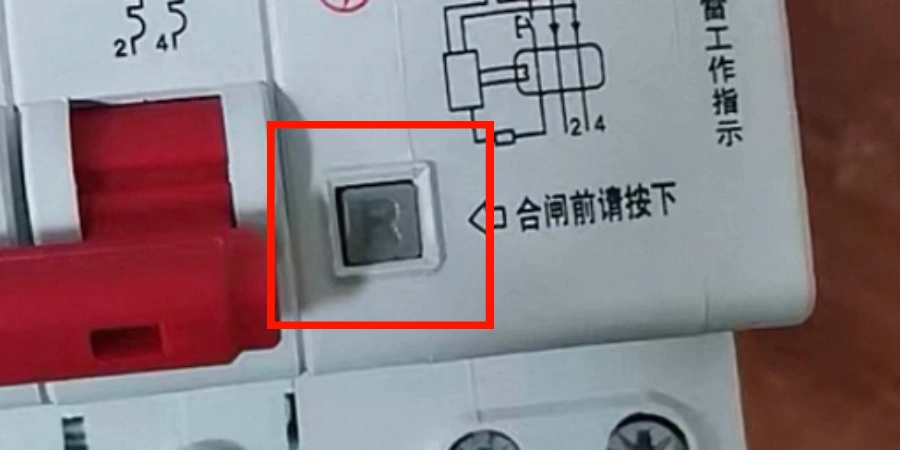
One small tip: if you’re testing multiple RCDs in the same board, wait a moment between each test to make sure the previous one has fully reset and is stable before moving to the next. It keeps things clean and helps you track results accurately.
How Often Should You Test Your RCD?
One question that comes up constantly — and I mean constantly — is how often you actually need to test your RCD. I’ve heard everything from "once a year is fine" to "every month, no exceptions". The honest answer is: it depends on where the device is installed and the environment it’s operating in. That said, there are clear guidelines worth knowing.
For most homeowners, the standard recommendation is a push-button test every six months. That’s a reasonable interval for a residential setting where the RCD isn’t exposed to harsh conditions and the circuits it protects are relatively stable. Twice a year is easy enough to remember — tie it to something like the start of summer and the start of winter, and it becomes habit.
Frequency by Environment
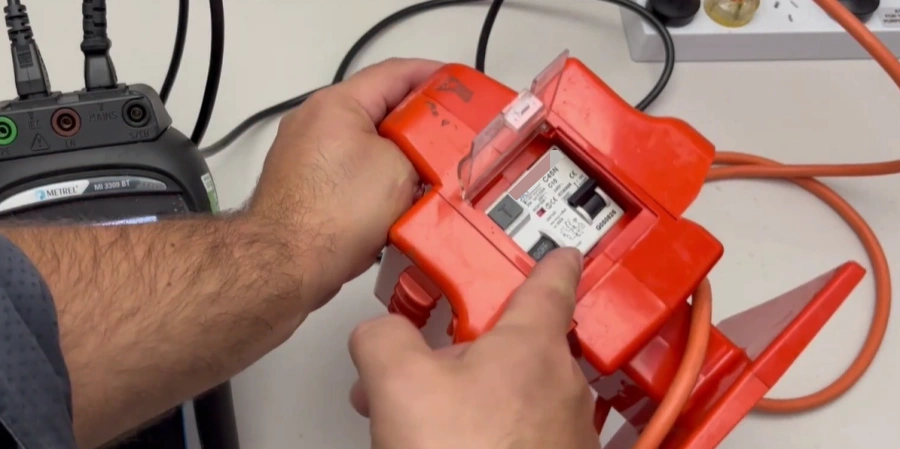
Workplaces are a different story. The risk profile changes depending on what’s happening in the space. A low-risk office environment might get away with a push-button test every three to six months, but a construction site is another matter entirely. On active construction sites, RCDs — particularly portable ones protecting power tools — should be tested before every use or at minimum daily. The AS/NZS 3760:2022 standard in Australia formalises this, and similar expectations exist in UK workplace safety guidance.
| Environment | Push-Button Test Frequency | Full Professional Test |
|---|---|---|
| Residential | Every 6 months | Annually (by electrician) |
| Low-risk workplace | Every 3–6 months | Annually |
| High-risk workplace | Monthly | Every 3–6 months |
| Construction site | Before each use / daily | Every 3 months |
The distinction between a push-button test and a full professional test is important. A push-button test gives a basic go/no-go result. A full test — often called a ramp test or timed trip test — is performed by a qualified electrician using calibrated equipment. It measures the exact current at which the RCD trips and how fast it responds. This is the only way to ensure the RCD is operating within its specified parameters, rather than just “working” in a general sense.
Why Skipping Tests Is Risky?
Because RCDs can fail silently. A device that passed its last test might develop a mechanical issue — a stuck contact, a weakened electromagnet — that prevents it from tripping under real fault conditions. Without regular testing, you won’t know until something goes wrong. From my experience, one of the most common failure modes is gradual mechanical degradation rather than sudden failure. The device looks fine, sits in the board, and yet it doesn’t trip when needed.
This is especially true for older devices or those installed in environments with high humidity, vibration, or temperature fluctuations. In those cases, more frequent testing isn’t overcautious — it’s just sensible. If you manage electrical installations for a business, checking the testing requirements specific to your region is worth the time, since local regulations can add layers on top of general guidance.
The Case for Annual Professional Testing
Even for residential installations, getting an electrician in once a year to run a proper timed test on your RCDs is good practice. It’s not expensive, it doesn’t take long, and it catches things that a push-button test simply can’t. Think of it like a car service — you can check the tyre pressure yourself, but you still want a mechanic to look at the brakes properly every now and then. The push-button test is your tyre pressure check. The ramp test is the brake inspection.
In Australia, RCD testing compliance is taken seriously enough that non-compliance can have legal implications for employers and landlords. The UK is moving in a similar direction, with electrical installation condition reports (EICRs) increasingly reviewing RCD function and documentation as part of the inspection process.
Conclusion
Testing your RCD isn’t just a routine task — it’s a simple step that protects people and equipment. Taking a minute to check your devices regularly builds confidence that your circuits will respond when needed. Small habits like this can prevent bigger problems and give peace of mind in any home or workplace.